Social media serves as a vital platform for aestheticians to promote their services and engage clients. Utilizing Canva can enhance their Instagram presence through cohesive branding, effective color use, and readability. While Canva allows for DIY graphics, challenges like premium content and template limitations exist. Thoughtful design can foster memorable brands cost-effectively.
As an aesthetician in this industry, one of the best free marketing tools besides word of mouth is social media. This is a great place to showcase your work with before and after pictures; connect with potential clients; and build credibility and trust with your clients. To avoid the over repetitive before and after pictures, and product pictures on your Instagram, utilizing info graphics to educate your clients in a fun way can help increase your business. It’s hard to get high quality graphics without trying to get over a massive learning curve and paying someone to do it for you when your first starting out can become super costly.
One of my favorite tools is Canva, which is a graphic design site with a simple drag and drop interface (Edwards, 2024), with tons of templates that you can edit and add your own creative spin on them. In this blog post I will cover 5 tips to using Canva, to help elevate your Instagram feed and talk about some downsides to using Canva.
Keep Your Brand Consistent
Branding is super important in the aesthetics’ industry; it helps create a recognizable image for new clients to find you and to help you stand out from others. How to create a consistent brand style with Canva by utilizing colors and fonts. These can create consistency on your feed and familiarity for your followers and clients. Making it easier for them to identify your content on their feed. Using the same colors or color scheme, makes your Instagram look more professional and organized creating a flowing theme.
Less Cursive More Structure
When it comes to making graphics for making educational content about skincare products, ingredients, or treatments you want your followers to be able to read it. If they can’t read it, they are not going to understand why this may be important for their skin. I understand those cursive extra curly fonts are fun and add an extra element to the post. With Canva, there are Serif style fonts that allow you to italicize them. With this ability, you can still get those nice light curves that are still readable. Using the italicized version of a font to highlight important words and then using the regular font for the rest of the post creates an elegant effect. Canva has some examples here if you’re interested.
Clashing Colors
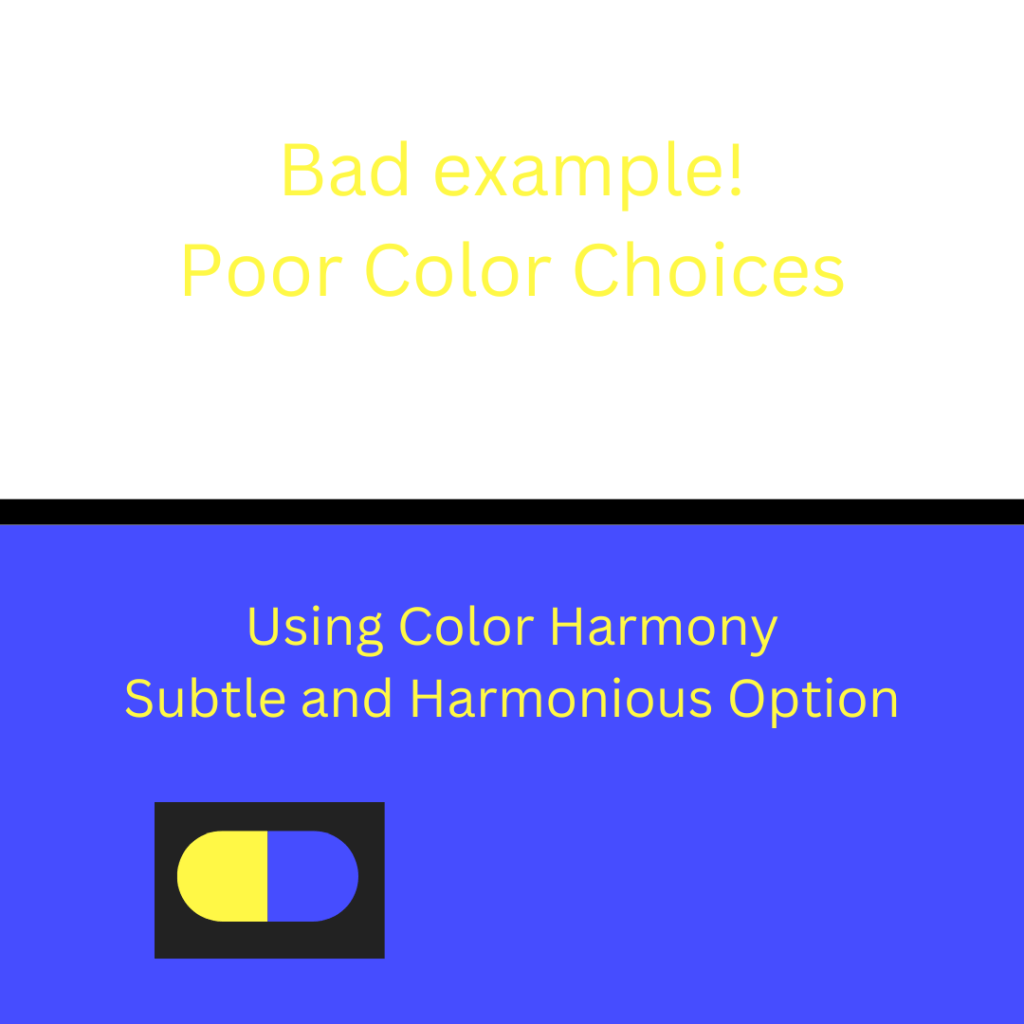
Along with readability if your brand colors involve yellow for example, and you choose to put your font in yellow against a white background. This would hurt your followers’ eyes, making them ignore your post. Canva has a free app that is called Color Harmony, where you pick one color, and it will show you tints and shades of the color; bold colors to contrast and makes them pop; and subtle and harmonious colors that will blend well with the color you chose. If you are horrible at finding good color schemes like me this is a game changer tool to help create aesthetically pleasing color stories.
Positive and Negative Space
Ever look at your graphics and think it looks off, but you can’t put your finger on it? It might be because your graphics are too busy with too many images or graphics. Respecting the positive and negative space is essential to creating visually balanced images. Positive space are the main elements (images, texts, graphics, etc.) Negative space is the blank space surrounding the main elements. Together these two spaces help create a clean look for the post. If you have too many elements and not enough negative space, the post can start to look cluttered and disorganized. Having a balance between positive and negative space can improve the readability and the negative space guides your follower’s eyes to key points and creates an aesthetically pleasing design.

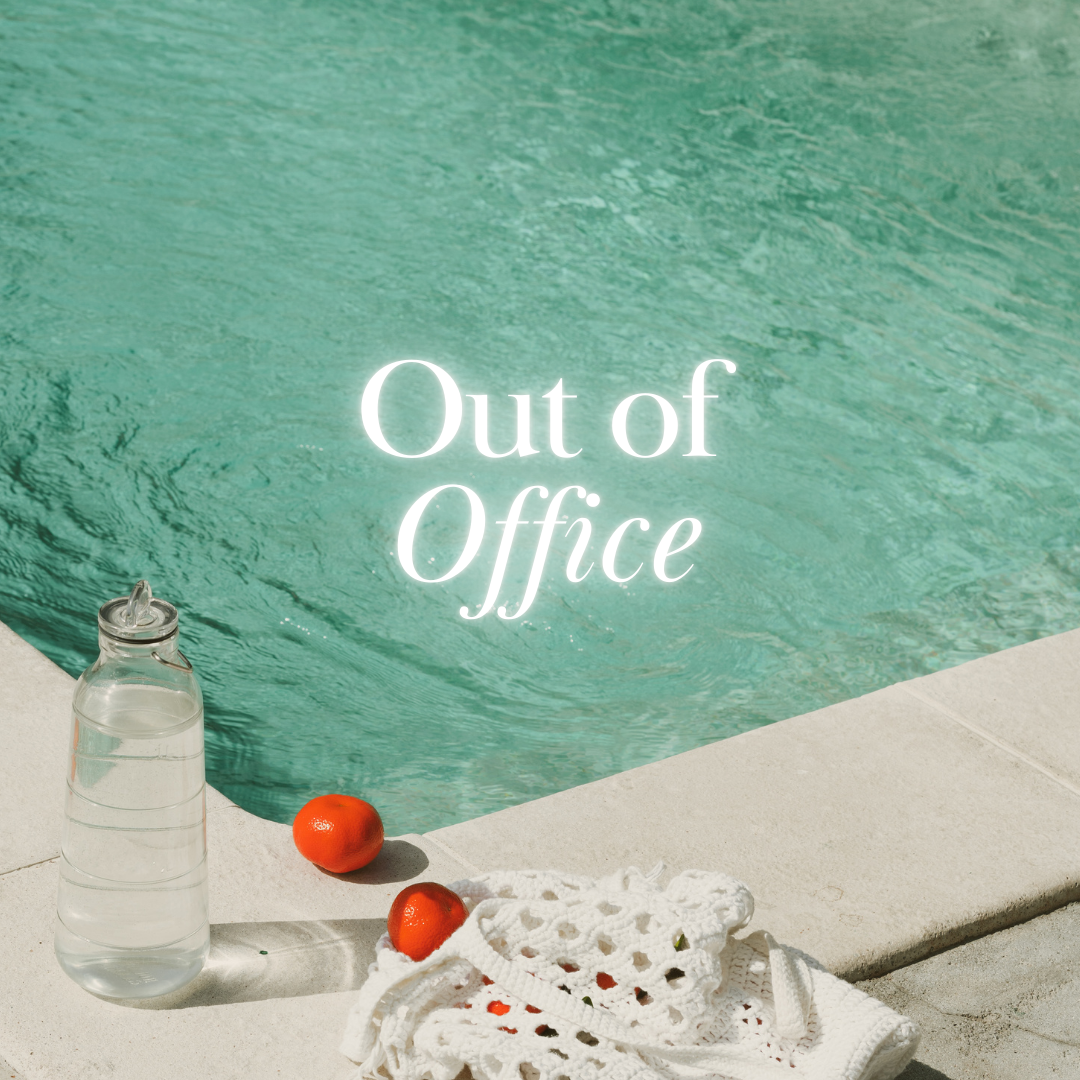
Image 1: By Loganyouth.std1 | Image 2: By Design For MakersImage2
Don’t Get too Geeky
I know I can get carried away with ranting about information, because I have had a lot of education in this industry. I must hold back on using big words like Tyrosine Kinase Inhibitors because the average person would not know what this is or what it means. Making the information simple and easy to follow and understand for someone who doesn’t have the expertise in this industry, is a great way to keep your followers reading your posts. Currently with the rise in Artificial Intelligence (AI), you can copy your tips into ChatGPT or another source and have them rewrite it for you to make it simpler to understand. Canva has an AI tool as well, but it unfortunately locked behind a pay wall. Also having too much information in your post can potentially not want people to read it, for example having 15 cleansing tips on one page of the post can be daunting. You can simplify it by dropping the number to 5 or if you feel they are all essential, you can add a few tips on each page of the post and have an arrow at the bottom, signaling for your followers to swipe through.
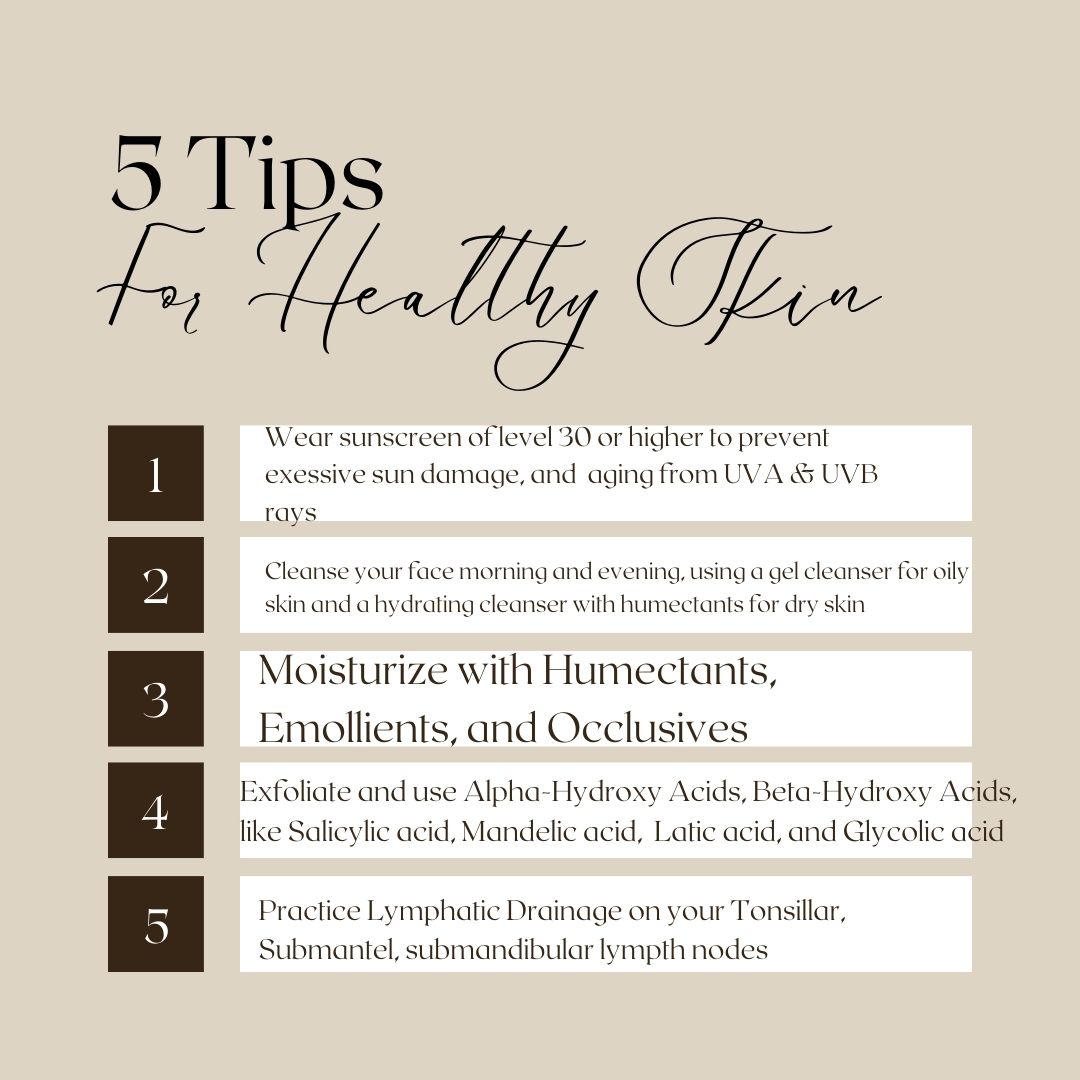
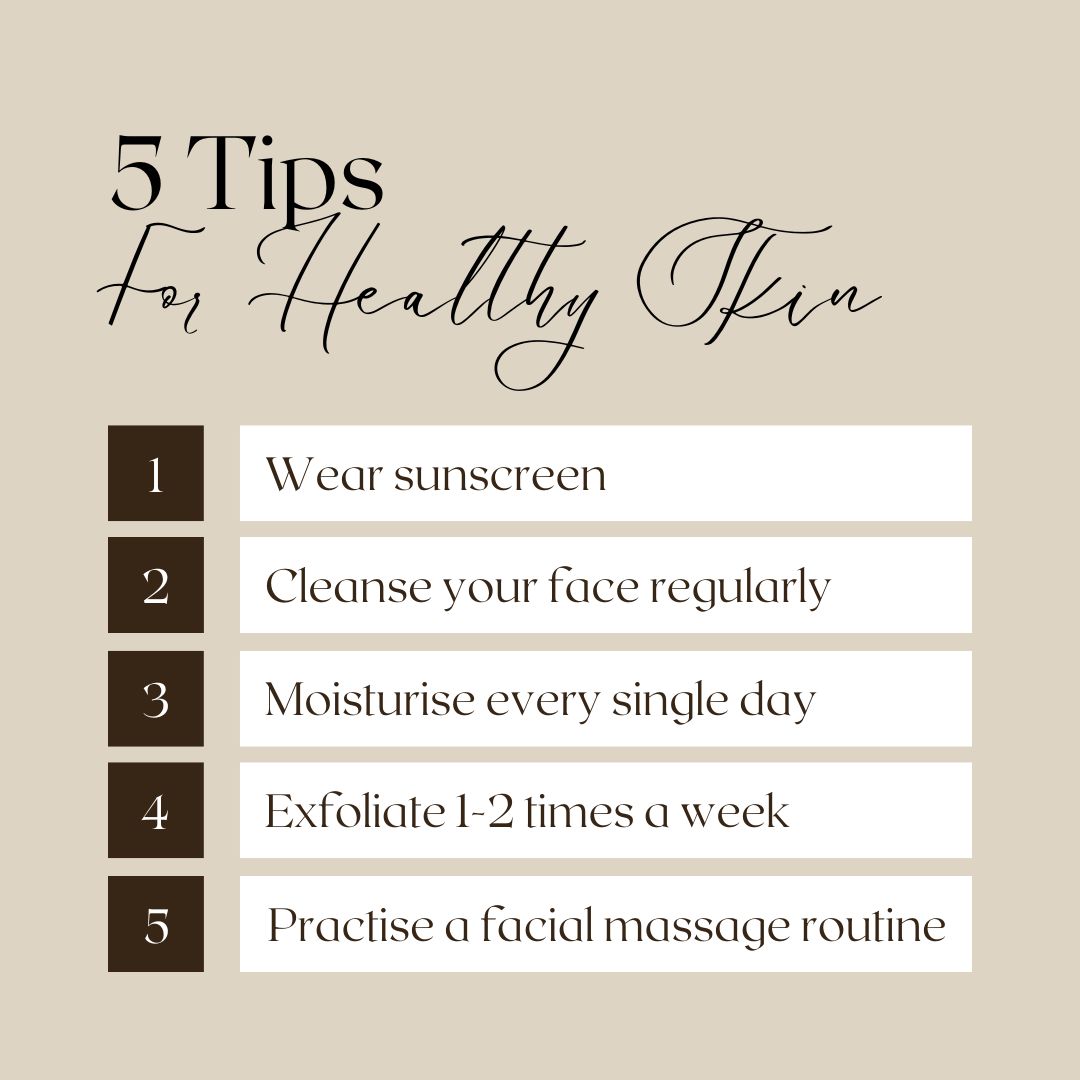
Image 1: By Vidushi Mundhra 3
Everything has a cost, and unfortunately all good things can’t be free. For the part of my blog post, I want to discuss a few downsides to using Canva if you chose to use this tool for your social media posts. The first downside is there is a paid version. I find it incredibly hard right now to find new, updated graphics that are free. There are 1000x more premium graphics compared to the free ones. With the premium version there are locked features like the Brand Kit where you can save fonts and colors to easily access to keep your post consistent with others. Also, there is limited customization with graphics to match your color scheme/branding, and restriction on getting unique detailed designs. With the massive amounts of templates out there for you to use and edit they can get repetitive especially if there are limited free templates for what you are wanting to post.
Social media offers aestheticians a powerful, accessible way to market their services and connect with clients. By maintaining brand consistency, using balanced colors, and selecting readable fonts, you can create a professional aesthetic that resonates with viewers. Leveraging info-graphics for education and blending positive and negative space in your posts ensures an engaging, clean feed. With thoughtful design choices, you can overcome the challenges of DIY graphics by using Canva, to attract more clients, and build a memorable, trustworthy brand without high costs.
- Edwards, L. (2024, May 17). What is Canva and how does it work? TechLearningMagazine. https://www.techlearning.com/how-to/what-is-canva-and-how-does-it-work-for-education
- Hale Cosmeceuticals. (2023, September 11). Maximizing social media for esthetician growth. https://www.halecosmeceuticals.com/blog/maximizing-social-media-for-esthetician-growth#:~:text=Social%20media%20presents%20a%20wealth,work%2C%20and%20attract%20new%20clients.
- O’Brian, M. (2020, November 23). Esthetician Marketing Canva Tips For Estheticians [Video]. YouTube. https://www.youtube.com/watch?v=YlLWByyjarc&t=570s
- Pack, P. (2023). Canva’s Ultimate Guide to Font Combinations. Canva. Retrieved November 7, 2024, from https://www.canva.com/learn/the-ultimate-guide-to-font-pairing/
- Canva Theme “White Beach and Brown Simple Summer Vacation photo Collages” By: Loganyouth.std (with graphic edits by me) ↩︎
- Canva Theme “Blue Summer Holiday Out of Office Instagram Post” By: Design For Makers ↩︎
- Canva Theme “Skincare Brand 5 Tips for Healthy Skin Instagram Post” By: Letter’d With Love | Vidushi Mundhra (Edits of the Tips By Me) ↩︎




 Brooklyn Nicole Aesthetics
Leave a comment